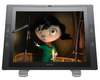
The Cintiq 22HD combines a 21.5" HD, wide-format LCD with industry-leading pen input capabilities, all in a traditional desktop display. Photographers, designers, artists and other creative professionals can work naturally and intuitively directly on the surface of the display, while enjoying all the creative and efficiency gains that make Cintiq the first choice among professionals.
Professional Pen Performance
The Cintiq 22HD pressure- and tilt-sensitive pen gives you control over pressure-sensitive brush effects such as line weight, opacity, and exposure. With Wacom's advanced Tip Sensor, the pen recognizes your slightest nuance of pressure, so you can capture every subtly in your stroke. In addition, the pen side switch can be set for application-specific shortcuts and modifiers.
Creative & Productivity Gains
Cintiq users often report major productivity gains that come from the creative experience of working directly on-screen. For starters, the ambidextrous design of the Cintiq 22HD features a pair of rear-mounted Touch Strips, along with accompanying Touch Strip Toggle buttons. Each controls up to four application-specific functions, such as brush size, zooming, scrolling and on-screen canvas rotation. Sixteen ExpressKeys™ (eight on either side of the display) boost productivity by providing quick access to keyboard shortcuts and modifier keys.
Benefits of the Cintiq 22HD
Work Directly on Screen
The new Cintiq 22HD features a 21.5" high-definition (1920 x 1080) display that incorporates Wacom’s most advanced pen technology. The Cintiq 22HD delivers a high-quality visual experience along with plenty of room to edit, design and create. Photographers, designers, animators and other creative professionals can work naturally and intuitively directly on the surface of the LCD screen.
Ultra-Sensitive
Dynamically adjust exposure, opacity, brush size and line weight simply by varying the pressure of the pen on the screen. The professional Wacom Tip Sensor features a lower activation force, capturing even the most subtle nuances of pressure. You’ll feel just like you’re working with a traditional paintbrush, marker, pen or pencil.
The Fantastic Four
Take control of up to four functions – including brush size, zooming, canvas rotation and scrolling – in each of your applications with the rear-mounted Touch Strips and Touch Strip toggle buttons.
Reclines for Comfort
The Cintiq 22HD reclines from 10º to 65º, allowing you to find your most comfortable working position. You can easily remove your Cintiq from the stand and lay it flat on a tabletop or mount it on an articulating arm (not included).
Change Your Point of View
In addition to reclining, the Cintiq 22HD freely rotates up to 180º in either direction to accommodate your arm’s natural drawing movements or to quickly change your viewing angle.
At Your Fingertips
All 16 ExpressKeys™ are customizable, giving you handy access to application-specific keyboard shortcuts and modifiers. The Show Settings key displays your current key settings on screen.
Custom Control
The Grip Pen has customizable side switches that allow you to program common functions into the pen itself. In addition, with pen-tilt recognition you can vary the effects created by your pen by simply changing the angle of your stroke.
True Value
The Cintiq 22HD combines two powerful tools in one – an extra-large professional pen tablet and a high-quality monitor. The result is a tool that helps you work faster and more naturally.
Confidence
With Wacom’s 25+ years of experience as the industry leader in pen tablets and interactive pen displays and a knowledgeable U.S.-based Customer Care team, you can have confidence in your purchase decision.
Accessorize
To complement your Cintiq, choose from a variety of accessories, including alternate pens (Art Pen, Airbrush and Classic Pen), pen nibs and other replacement parts.
Mac or PC
Compatible with both Macs and PCs, the Cintiq 22HD requires AC power and video (VGA or DVI) plus a USB connection to your laptop or desktop computer.
Creative Software
Cintiq comes bundled with valuable creative software from leading software manufacturers.
Cintiq 22HD Free Bundled Software
As a new Cintiq owner (original purchaser), you are entitled to download valuable creative applications offered by leading software manufacturers: Adobe®, Autodesk®, Nik® Software, and Smith Micro. You are also entitled to a free 90-day trial of Corel® Painter™ 12. See below for additional information about the applications that are currently being offered (offer subject to change). If you have already purchased your Cintiq, go to the Getting Started to begin your registration and software download process. Many of these software partners also offer valuable upgrade programs that you can access through the Cintiq Privileges Program.
Adobe® Photoshop® Elements for PC and Mac
Adobe Photoshop Elements combines power and simplicity so you can make ordinary photos extraordinary. Tell engaging stories in beautiful, personalized creations for print and the web, and easily find and view all your photos.
Anime Studio® Debut by Smith Micro
The fun and quick way to create animations, Anime Studio is a great solution for first-time animators, hobbyists and digital artists for creating 2D movies, cartoons, anime and cut-out animations. Fully integrated with Wacom pen tablets, you can draw your own art with intuitive vector-based draw and paint tools or easily import your hand-drawn sketches or existing artwork from popular graphics programs and automatically convert them to ready-to-animate vector drawings. Windows 7, Windows Vista, and Windows XP, Mac OS X 10.5+.
Autodesk® SketchBook® Express
Designed for pen-based interaction, SketchBook Express has most of the features of Autodesk's popular SketchBook Pro application. It features an artist-friendly, gesture-based user interface that lets artists get to work immediately. SketchBook Express almost feels tailor-made for pen-input technology, and the application's one-flick tools work fluidly with a flick of your wrist.
Corel® Painter™ 12
Try the full version of Corel® Painter™ 12 for a free 90-day trial. If you like it, you can take advantage of a special upgrade offer from Corel for a permanent license.. Corel® Painter™ 12 (90-day trial) is the world’s leading digital art software that provides the most realistic digital painting experience. With its impressive array of brushes, paper textures, paints, oils, watercolors and more, this software lets you control brush behavior, pressure and color intensity more realistically. With extensive file support, you can build upon projects you've started in other programs, making Painter a great complement to Adobe® Photoshop®.
Windows 7, Windows Vista, Windows XP, Mac OS X 10.5 or 10.6 (with latest revision).
Nik® Software Color Efex Pro™ 4 Select Edition
Nik® Color Efex Pro™ 4 Select Edition is a collection of photographic filters that are an essential part of your photographic too kit to use in Adobe® Photoshop®, Lightroom® and Aperature. The Select Edition includes up to 26 filters that offer the new photographer a range of effects to solve challenges and extend creativity by easily combining filters to create stunning new looks. Windows XP, Windows Vista, and Windows 7, Mac OS 10.5.8, 10.6.8, and 10.7 and later.
Applications that Work with Your Cintiq
In addition to the bundled software applications listed above, many creative software applications include special features and tools that are designed to be used with Wacom products.