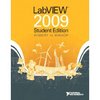
LabVIEW 2009, Student Edition (Paperback With DVD)

Avg. Rating:
Be the first to write a review.

Bookmark and Share

Academic Proof Required

Manufacturer: Pearson
Product Type:

Book

Who is eligible to purchase?
  • Student
  • Faculty/Staff
  • School
  • Organization
  • Government
  • Music Instructor
  • Correctional
  • Military Service Person
  • Non-Academic (General Public)

Details ↓

Student
Type Eligible? Qty Limit
Full time Hi-Ed Yes No Limit
Part time Hi-Ed Yes No Limit
K-12 Yes No Limit
Preschool No  
Homeschool Yes No Limit
Faculty/Staff
Type Eligible? Qty Limit
Hi-Ed Yes No Limit
K-12 Yes No Limit
Preschool No  
School
Type Eligible? Qty Limit
Hi-Ed No  
K-12 No  
Preschool No  
Organization
Type Eligible? Qty Limit
Non-Profit No  
Museum No  
Library No  
Government
Type Eligible? Qty Limit
Government No  
Music Instructor
Type Eligible? Qty Limit
Music Instructor No  
Correctional
Type Eligible? Qty Limit
Correctional No  
Military Service Person
Type Eligible? Qty Limit
US Air Force No  
US Army No  
US Coast Guard No  
US Navy No  

Ships in 3-5 days

Item Number: 100970860

Manufacturer Part Number: 9780132141291

Commercial SRP: $118.00

Your Price: $114.98

National Instruments' LabVIEW is the defacto industry standard for test, measurement, and automation software solutions. With the LabVIEW 2009 Student Edition, students can design graphical programming solutions to their classroom problems and laboratory experiments with software that delivers the graphical programming capabilites of the LabVIEW professional version.

The Student Edition is also compatible with all National Instruments data acquisition and instrument control hardware. Note: The LabVIEW 2009 Student Edition is available to students, faculty, and staff for personal educational use only. It is not intended for research, institutional, or commercial use.

The goal of this book is to help students learn to use LabVIEW on their own.

Very art-intensive with over 400 figures in all. There are numerous screen captures in each section taken from a typical LabVIEW session. The figures contain additional labels and pointers added to the LabVIEW screen captures to help students understand what they are seeing on their computer screens as they follow along in the book.

These virtual instruments complement the material in the book. In most situations, the students are asked to develop the virtual instrument themselves following instructions given in the book, and then compare their solutions with the solutions provided by the author to obtain immediate feedback. In other cases, students are asked to run a specified virtual instrument as a way to demonstrate an important LabVIEW concept.

THE LABVIEW STUDENT EDITION SOFTWARE The LabVIEW 2009 Student Edition software package is a powerful and flexible instrumentation, analysis, and control software platform for PCs running Microsoft Windows or Apple Macintosh OS X. The student edition is designed to give students early exposure to the many uses of graphical programming. LabVIEW not only helps reinforce basic scientific, mathematical, and engineering principles, but it encourages students to explore advanced topics as well. Students can run LabVIEW programs designed to teach a specific topic, or they can use their skills to develop their own applications. LabVIEW provides a real-world, hands-on experience that complements the entire learning process.

The cover of this edition of LabVIEW 2009 Student Edition shows thirteen interesting application areas that use LabVIEW in the solution process.

1. Killer Whales

2. Airliners

3. Advanced Fighter Jets

4. Wind Power

5. RF Communications

6. Mobile Instrumentation

7. Medical Devices

8. DARwIn

9. Rion-Antirion

10. Olympic Stadium

11. Video Games

12. Robotics Education

13. Motorcycles

 The demand for LabVIEW in colleges and universities has led to the development of LabVIEW Student Edition based on the industry version of LabVIEW. This is a new and significant software revision that delivers all of the graphical programming capabilities of the full edition. With the student edition, students can design graphical programming solutions for their classroom problems and laboratory experiments on their personal computers. The LabVIEW Student Edition features include the following:

  • Express VIs that bring interactive, configuration-based application design for acquiring, analyzing, and presenting data.

  • Interactive measurement assistants to make creating data acquisition and instrument control applications easier than ever.

  • Full LabVIEW advanced analysis capability.

  • Full compatibility with all National Instruments data acquisition and instrument control hardware.

  • Support for all data types used in the LabVIEW Full Development System.

New LabVIEW software features introduced in this new edition:

  • Using VI Snippets to store, share, and reuse small portions of LabVIEW code.

  • Quickly finding and placing LabVIEW palette objects with Quick Drop.

  • Simplified debugging by managing all LabVIEW probes in one window.

  • A Block Diagram Cleanup Tool to automatically arrange portions of code.

  • An enhanced set of editing tools for creating icons in the Icon Editor dialog box.

  • Many new math plots for 2D and 3D graphs, including 2D compass plots, error plots, and feather plots, and 3D bar plots, comet plots, contour, stem, waterfall, and others.

This latest edition also features:

  • Updated exercises and design problems that reinforce the main topics of the chapter.

  • New relaxed readings that illustrate how students, engineers, and scientists are using LabVIEW to solve real-world problems.

  • Information on how to become a certified LabVIEW user for career advancement and employment opportunities.


Reviews

Log In to write a review.

Current Source Code: 103