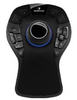
3Dconnexion SpaceNavigator Standard Edition (Academic)


Your Price:
$74.95

(You Save $25.04) SRP: $99.99

Who is eligible to purchase?
  • Student
  • Faculty
  • Staff
  • School
  • Organization
  • Government
  • Music Instructor
  • Correctional
  • Military Service Person
  • Non-Academic (General Public)

Details ↓

Student
Type Eligible? Qty Limit
Full time Hi-Ed Yes 1
Part time Hi-Ed Yes 1
K-12 Yes 1
Preschool No  
Homeschool Yes 1
Faculty
Type Eligible? Qty Limit
Hi-Ed Yes 1
K-12 Yes 1
Preschool No  
Staff
Type Eligible? Qty Limit
Hi-Ed Yes 1
K-12 Yes 1
Preschool No  
School
Type Eligible? Qty Limit
Hi-Ed Yes No Limit
K-12 Yes No Limit
Preschool No  
Organization
Type Eligible? Qty Limit
Non-Profit No  
Museum No  
Library No  
Government
Type Eligible? Qty Limit
Government No  
Music Instructor
Type Eligible? Qty Limit
Music Instructor No  
Correctional
Type Eligible? Qty Limit
Correctional No  
Military Service Person
Type Eligible? Qty Limit
US Air Force No  
US Army No  
US Coast Guard No  
US Navy No  

Ships in 3-5 days

Academic Proof Required

MacMac

WinWin

Manufacturer: 3Dconnexion
Product Type(s):

Media/Design Controller

Item Number: 40736426

Manufacturer Part Number: 3DX-700028-ACA

Avg. Rating:
Be the first to write a review.

SpaceNavigator Standard Edition

Navigate Your 3D World

Features

  • Six degrees of freedom via a flexible controller cap
  • Two programmable keys stores your favorite application functions
  • Support for Google Earth, Google SketchUp, Autodesk DWF Viewer as well as 3D design applications from Solidworks, PTC, UGS, Dassault Systemes and Autodesk.

This Academic edition has the same features and capabilities of the retail version, and is shipped to you in a factory sealed retail box. However, this version is able to be sold below the retail price because of an educational discount.

Refine the way you work with 3D applications. Pan, zoom and rotate as if you are holding the model in your hand or fly like a helicopter through three-dimensional worlds.

Navigate Your 3D World
3Dconnexion’s SpaceNavigator™ offers natural and intuitive navigation of 3D environments and objects for more than 100 of today’s most popular and powerful 3D applications. Push, pull, tilt or twist the SpaceNavigator’s controller cap to simultaneously pan, zoom and rotate 3D imagery. Push the cap firmly to move quickly or gently to move slowly. Fly through three-dimensional worlds, like Google Earth, without stopping to use the keyboard or mouse to change directions.

Experience an easy, simple and fun way to navigate your 3D world using 3Dconnexion’s award-winning technology. SpaceNavigator is compatible with Windows XP, 32-bit and 64-bit.

Additional Features

  • 3Dconnexion patented 6-degrees-of-freedom (6DoF) technology – smooth and intuitive control of 3D models and environments.
  • FIT button-instantly restore the model to the center of the screen
  • MENU button-fingertip access to important navigation settings.
  • Two programmable keys stores your favorite application functions
  • Small footprint heavy steel base fits well on any users desktop
  • 3DxSoftware v.3.0 including Configuration Wizard to simplify installation
  • Support for Google Earth, Google SketchUp, Autodesk DWF Viewer as well as 3D design applications from Solidworks, PTC, UGS, Dassault Systemes and Autodesk.
  • Compatible with Windows XP, 32-bit and 64-bit
  • 2-Year phone, email and Web support.
  • USB connection


Navigation Features

Two Handed Power
SpaceNavigator is used with a traditional mouse in a balanced and cooperative work style. One hand engages SpaceNavigator to position the model or navigate the environment while your other hand simultaneously uses the traditional mouse to select, create or edit. It’s a two handed work style where you click a lot less and accomplish a lot more.

A Virtual Extension of You
At the heart of every 3Dconnexion 3D mouse is the Controller Cap. Gently push, pull, twist or tilt to simultaneously pan, zoom and rotate models or camera views. Increase pressure to go faster or decrease pressure to make intricate adjustments.

Find out now if your software is supported.

Reviews

Log In to write a review.

Current Source Code: 103